 Photo Restorer
in good hands.
PHOTO RESTORER · OLD PHOTO RESTORATION
Free AI Photo Restorer
Restore old, damaged and faded photos with AI.
ONE FREE PREVIEW · NO ACCOUNT
MEMORY RESTORER
Opening your photos…
Maximum 20 MB per photo · up to 25 photosFree preview · Full-resolution downloads from $4.99 for 3 restorations.
A FEW MEMORIES
A few photographs, carrying a little wear.
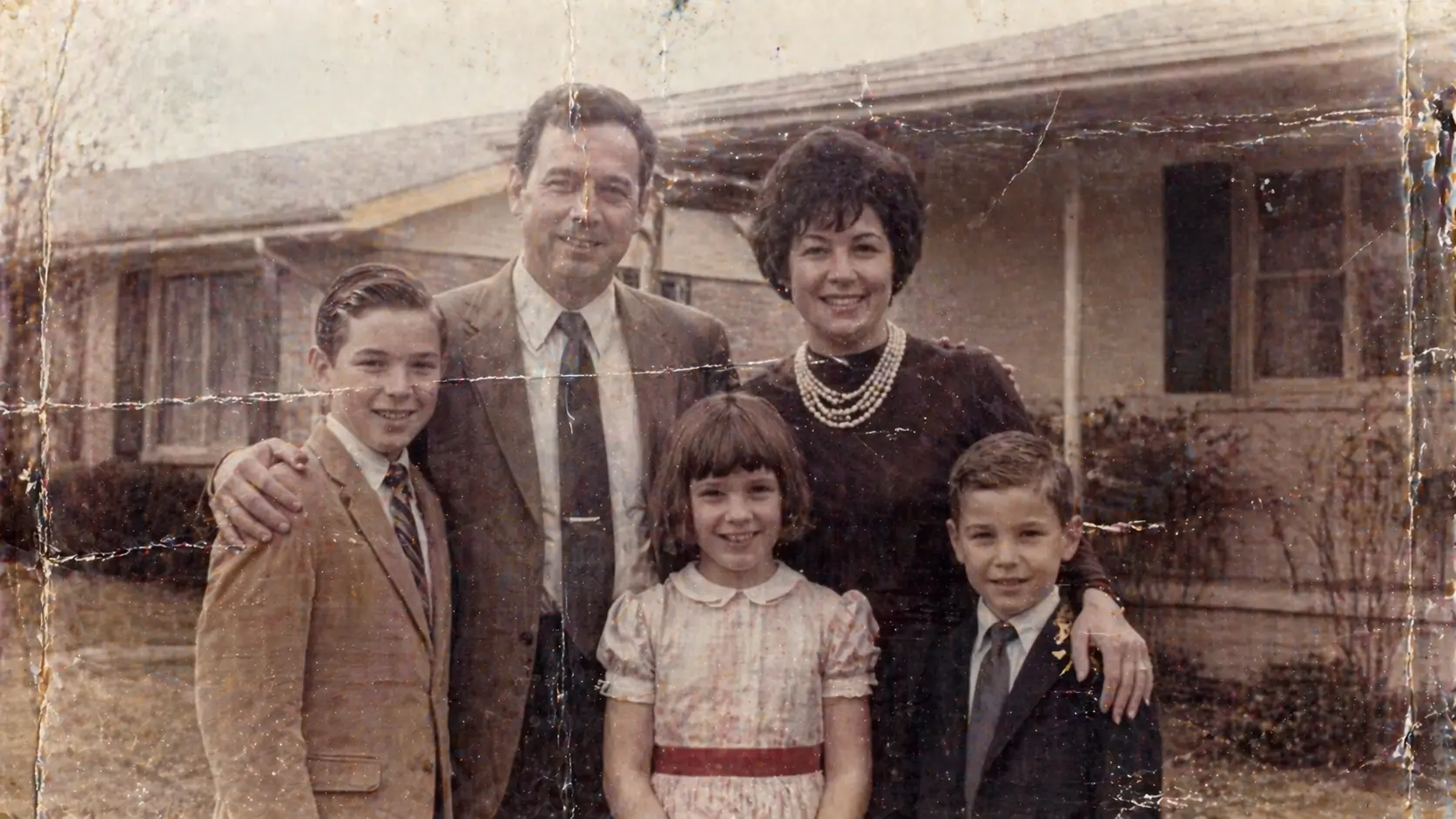
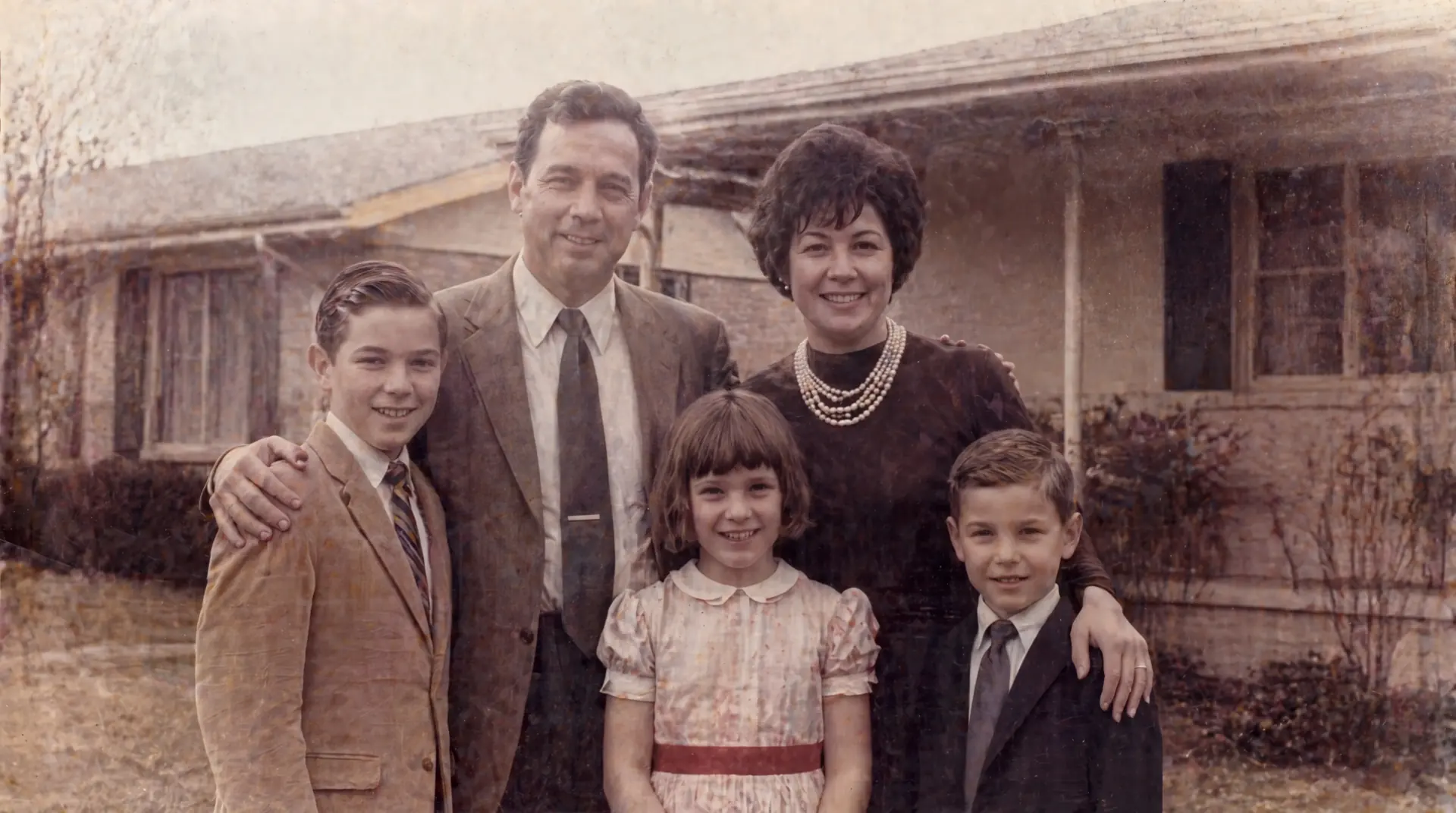
Different photographs fail in different ways. Reveal each restoration to see how fading, physical damage, soft faces, and optional color are handled without changing the character of the original.
BEFORE · REVEAL RESTOREDHOW IT WORKS
How does AI photo restoration work?
- 01
Upload
Add one old photograph or a small set. Your original stays untouched.
- 02
Restore
Photo Restorer analyzes visible damage, then restores conservatively around faces, texture, color, and missing areas. Most restorations take around a minute.
- 03
Compare & save
Review the result, adjust it if needed, then save the version you want at full resolution.
WHAT IT CAN REPAIR
What can Photo Restorer repair?
Photo Restorer adapts the restoration plan to what is actually visible in each photograph, rather than applying the same treatment to every image.
FadingRecover restrained tonal range
ScratchesClean visible surface marks
Tears & missing areasRebuild only where evidence supports it
Soft facesImprove clarity without redesigning identity
Color castCorrect faded or shifted color naturally
Black & whitePreserved by default
Sepia originalsKeep the source character intact
Optional colorizationAdd restrained estimated color when requested
TRY IT FIRST
One clean preview, before you pay.
Your first eligible photograph gets one clean preview at reduced resolution with no account. Full-resolution saves and additional restorations use Restoration Credits.
A FEW QUESTIONS
Before you hand over a family photograph.
Will Photo Restorer change the person in the photo?
It is designed to preserve identity, age markers, expression, framing, and the character of the original. When source detail is truly missing, AI may still estimate it, so compare the result before saving.
Can I colorize a black-and-white photo?
Yes, but only when you choose Colorize. Black-and-white and sepia photographs stay monochrome by default, and added colors are plausible estimates rather than verified historical colors.
What if the first result does not look right?
Open the result and choose Adjust result. You can ask for a version closer to the original, clearer detail, more damage repair, or stricter face, color, and text preservation while keeping the first version.
Is my original photograph preserved?
Yes. Restoration creates separate result versions; it does not overwrite the uploaded original.
How does the one free preview work?
You get one clean reduced-resolution restored preview without creating an account. It is a one-time free preview, not a daily quota. Full-resolution saving or restoring more photos uses Restoration Credits.
How long are photos kept?
Photo Restorer photo sets are normally scheduled for removal after 30 days. Download results you want to keep, and see the privacy page for processing details.
How should I care for the original print?
Keep the physical photograph after restoring its digital copy. The Library of Congress recommends a cool, relatively dry, stable storage environment and limiting light exposure. AI restoration changes a digital copy; it does not conserve the original print.
Photo RestorerService information reviewed PrivacyContact
READY WHEN YOU ARE
Restore a photo → ONE FREE PREVIEW · NO ACCOUNT